Solo
$39/moRegular price: $468 $429/yr
+ $29 setup
- One barber, one location
- Your own shop website with booking
- Card payments on your own Stripe account
- Email and text reminders
- No lobby TV or kiosk

For barbershops, salons and solo barbers
Your lobby line, live on the TV.
PeliFlo TV shows who is in the chair and who is next, and walk-ins join from a QR code.
Take deposits when clients book, and charge no-show and late-cancel fees automatically.
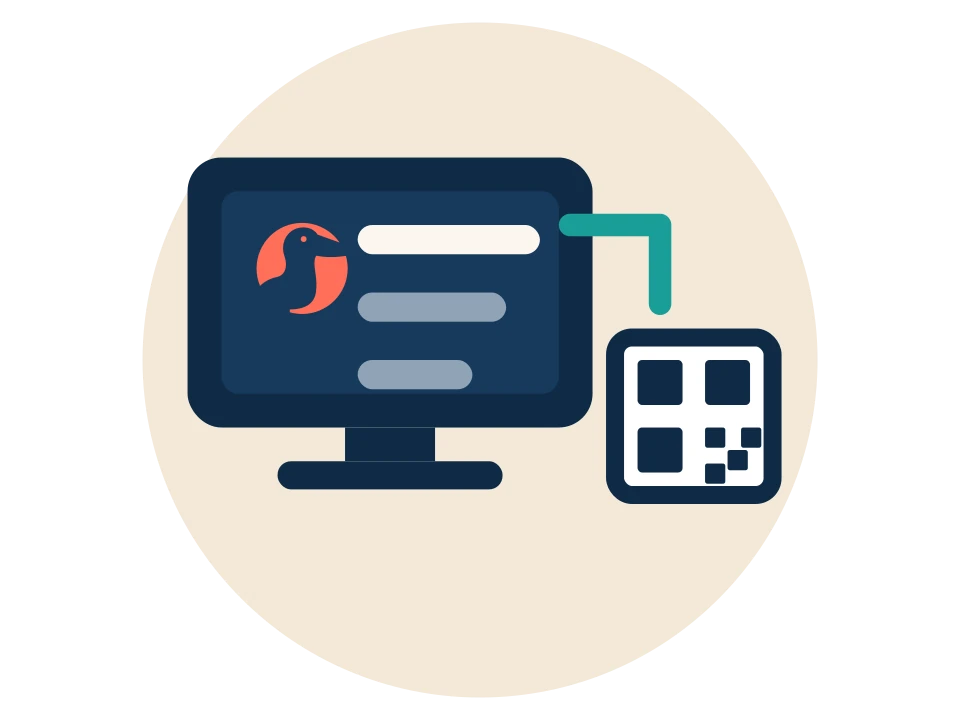
Clients join the line from a QR code or tap in on the iPad kiosk, and watch their spot on PeliFlo TV.

Online booking with SMS and email confirmations, reminders and reschedule links.

A real website for your shop, review requests, and your Google Business Profile handled.
A friendly walkthrough. Pick what you use today and see the steps, all done online.
Switching from Booksy
Good to know: you can keep Booksy running alongside PeliFlo while you switch.
Step 1 of 6
Pick a plan and check out online. We set up your shop’s website and booking page. No visits, everything happens online.
Step 2 of 6
A setup wizard walks you through hours, services (with ready-made presets) and barbers, one question per screen. Or send us your service list and we help you set it up.
Step 3 of 6
If you can export your clients from Booksy as a CSV file, upload it. PeliFlo matches the columns, skips duplicates and texts nobody on import.
Step 4 of 6
Paste your Booksy booking link. Your PeliFlo TV and booking page send clients there, while the walk-in line runs in PeliFlo. Nothing double-books.
Step 5 of 6
Plug it into your TV and power. One is included with Fly, or add one for $249, shipping included. You can also use your own screen.
Step 6 of 6
When you are ready, turn off alongside mode and PeliFlo takes your bookings. Update your booking link wherever you share it.
Switching from Squire
Good to know: you can keep Squire running alongside PeliFlo while you switch.
Step 1 of 6
Pick a plan and check out online. We set up your shop’s website and booking page. No visits, everything happens online.
Step 2 of 6
A setup wizard walks you through hours, services (with ready-made presets) and barbers, one question per screen. Or send us your service list and we help you set it up.
Step 3 of 6
If you can export your clients from Squire as a CSV file, upload it. PeliFlo matches the columns, skips duplicates and texts nobody on import.
Step 4 of 6
Paste your Squire booking link. Your PeliFlo TV and booking page send clients there, while the walk-in line runs in PeliFlo. Nothing double-books.
Step 5 of 6
Plug it into your TV and power. One is included with Fly, or add one for $249, shipping included. You can also use your own screen.
Step 6 of 6
When you are ready, turn off alongside mode and PeliFlo takes your bookings. Update your booking link wherever you share it.
Switching from Vagaro
Good to know: you can keep Vagaro running alongside PeliFlo while you switch.
Step 1 of 6
Pick a plan and check out online. We set up your shop’s website and booking page. No visits, everything happens online.
Step 2 of 6
A setup wizard walks you through hours, services (with ready-made presets) and barbers, one question per screen. Or send us your service list and we help you set it up.
Step 3 of 6
If you can export your clients from Vagaro as a CSV file, upload it. PeliFlo matches the columns, skips duplicates and texts nobody on import.
Step 4 of 6
Paste your Vagaro booking link. Your PeliFlo TV and booking page send clients there, while the walk-in line runs in PeliFlo. Nothing double-books.
Step 5 of 6
Plug it into your TV and power. One is included with Fly, or add one for $249, shipping included. You can also use your own screen.
Step 6 of 6
When you are ready, turn off alongside mode and PeliFlo takes your bookings. Update your booking link wherever you share it.
Switching from Fresha
Good to know: you can keep Fresha running alongside PeliFlo while you switch.
Step 1 of 6
Pick a plan and check out online. We set up your shop’s website and booking page. No visits, everything happens online.
Step 2 of 6
A setup wizard walks you through hours, services (with ready-made presets) and barbers, one question per screen. Or send us your service list and we help you set it up.
Step 3 of 6
If you can export your clients from Fresha as a CSV file, upload it. PeliFlo matches the columns, skips duplicates and texts nobody on import.
Step 4 of 6
Paste your Fresha booking link. Your PeliFlo TV and booking page send clients there, while the walk-in line runs in PeliFlo. Nothing double-books.
Step 5 of 6
Plug it into your TV and power. One is included with Fly, or add one for $249, shipping included. You can also use your own screen.
Step 6 of 6
When you are ready, turn off alongside mode and PeliFlo takes your bookings. Update your booking link wherever you share it.
Switching from Square Appointments
Good to know: you can keep Square Appointments running alongside PeliFlo while you switch.
Step 1 of 6
Pick a plan and check out online. We set up your shop’s website and booking page. No visits, everything happens online.
Step 2 of 6
A setup wizard walks you through hours, services (with ready-made presets) and barbers, one question per screen. Or send us your service list and we help you set it up.
Step 3 of 6
If you can export your clients from Square Appointments as a CSV file, upload it. PeliFlo matches the columns, skips duplicates and texts nobody on import.
Step 4 of 6
Paste your Square Appointments booking link. Your PeliFlo TV and booking page send clients there, while the walk-in line runs in PeliFlo. Nothing double-books.
Step 5 of 6
Plug it into your TV and power. One is included with Fly, or add one for $249, shipping included. You can also use your own screen.
Step 6 of 6
When you are ready, turn off alongside mode and PeliFlo takes your bookings. Update your booking link wherever you share it.
Starting with PeliFlo
Step 1 of 6
Pick a plan and check out online. We set up your shop’s website and booking page. No visits, everything happens online.
Step 2 of 6
A setup wizard walks you through hours, services (with ready-made presets) and barbers, one question per screen. Or send us your service list and we help you set it up.
Step 3 of 6
Keep a list in a spreadsheet? Upload it as a CSV file and PeliFlo matches the columns. Nobody gets a text just for being imported. No list? Start fresh.
Step 4 of 6
Walk-ins plus online booking, or walk-ins only. Clients can join the line from their phone and see it on your lobby TV.
Step 5 of 6
Plug it into your TV and power. One is included with Fly, or add one for $249, shipping included. You can also use your own screen.
Step 6 of 6
Share your booking page and put your line on the lobby TV. Questions along the way? Call us.
Starting with PeliFlo
Good to know: you can keep your current app running alongside PeliFlo while you switch.
Step 1 of 6
Pick a plan and check out online. We set up your shop’s website and booking page. No visits, everything happens online.
Step 2 of 6
A setup wizard walks you through hours, services (with ready-made presets) and barbers, one question per screen. Or send us your service list and we help you set it up.
Step 3 of 6
If you can export your clients from your current app as a CSV file, upload it. PeliFlo matches the columns, skips duplicates and texts nobody on import.
Step 4 of 6
Paste your your current app booking link. Your PeliFlo TV and booking page send clients there, while the walk-in line runs in PeliFlo. Nothing double-books.
Step 5 of 6
Plug it into your TV and power. One is included with Fly, or add one for $249, shipping included. You can also use your own screen.
Step 6 of 6
When you are ready, turn off alongside mode and PeliFlo takes your bookings. Update your booking link wherever you share it.

Your own website and booking page, built for your shop.
See details
Services, barber pick, calendar.
See details
Card on file, deposits, no-show and late-cancel fees.
See details
Join from a QR code; see the line live.
See details
A lobby screen showing the line, on a PeliFlo-branded Raspberry Pi.
See details
Clients tap or check in on an iPad at the door.
See details
Confirmations, reminders and “you’re up” texts.
See details
Ask happy clients for reviews and keep your profile in shape.
See details
Each barber gets a card on your booking page.
See details
Reward regulars visit by visit.
See details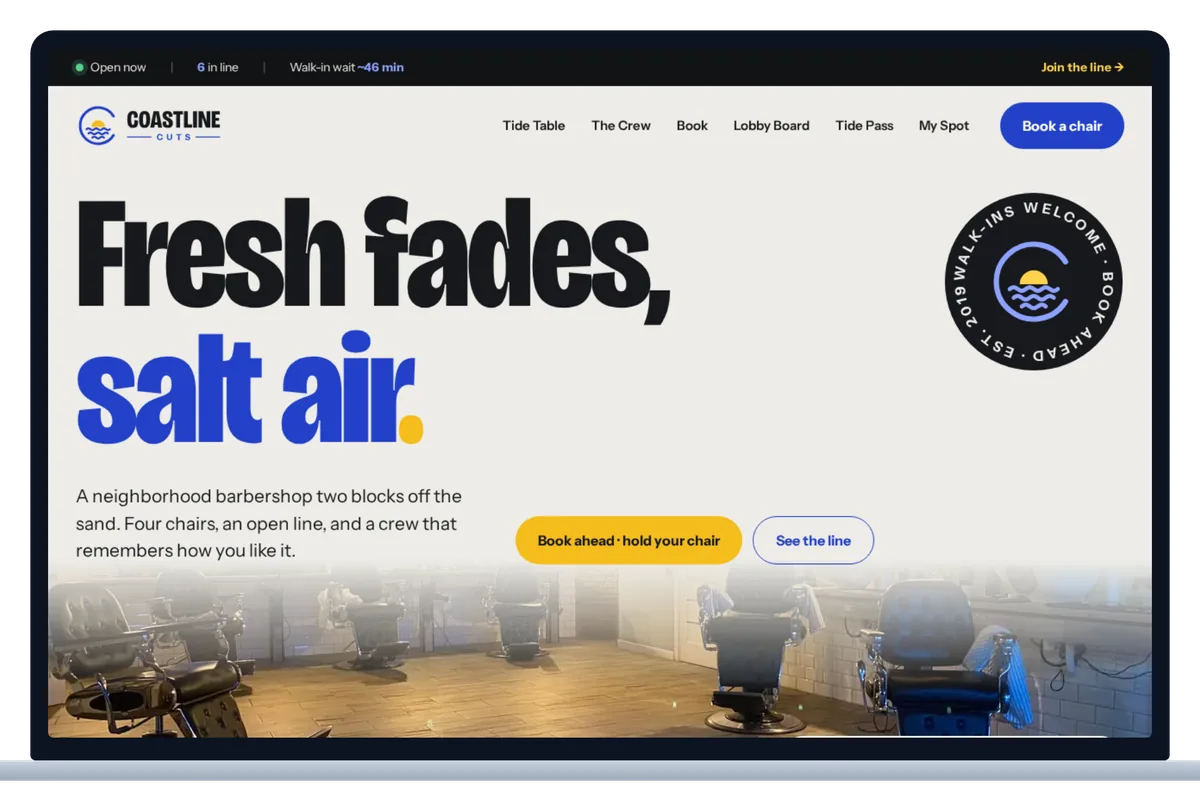
Your shop gets its own website with your name, your look and a big Book button, not a generic listing page.
The homepage can show whether you are open, how many people are in line and the current walk-in wait, with a Join the line button right there. Clients decide to come in before they ever call.
Included in: Your own shop website: all plans. Website editor (PeliFlo CMS) and barber portfolios: Dive and Fly.
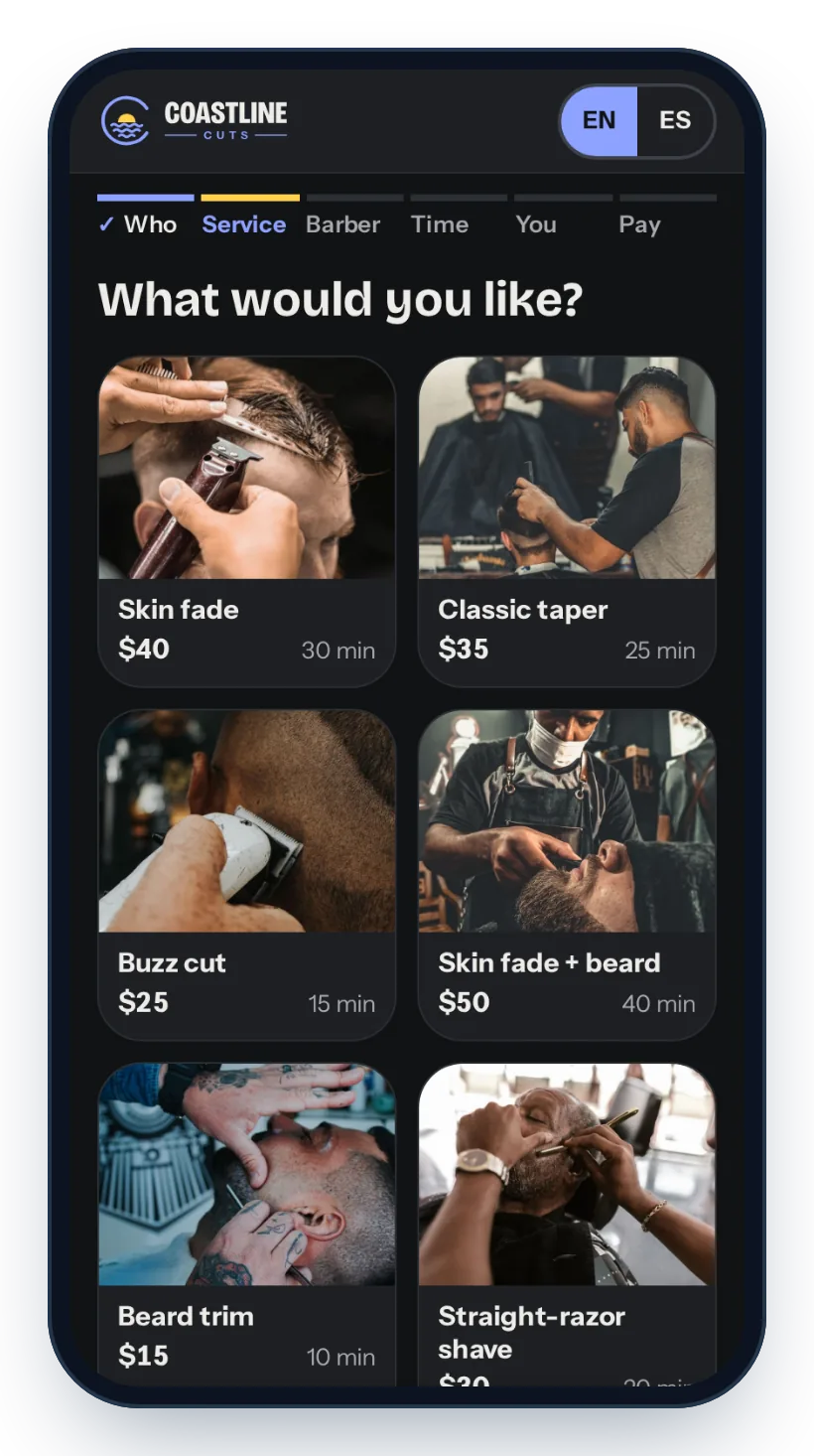
Clients pick a service, any add-ons, a barber (or “any barber”) and a live open time, from their phone, day or night.
Booking for the whole family? They can book for themselves and others in one go. The flow works in English and Spanish, and clients can reschedule from their confirmation link.
Included in: Perch, Dive and Fly.
When a client books, their card is saved to hold the time. If they no-show or cancel too late, the fee is charged automatically, once, without an awkward phone call.
Prefer money up front? Take a deposit when they book. On Dive and Fly, clients can also pay in full, with a tip, right when they book.
Included in: Deposits, card on file and no-show/late-cancel fees: Perch, Dive and Fly. Pay in full with a tip, and pay on their own phone: Dive and Fly.
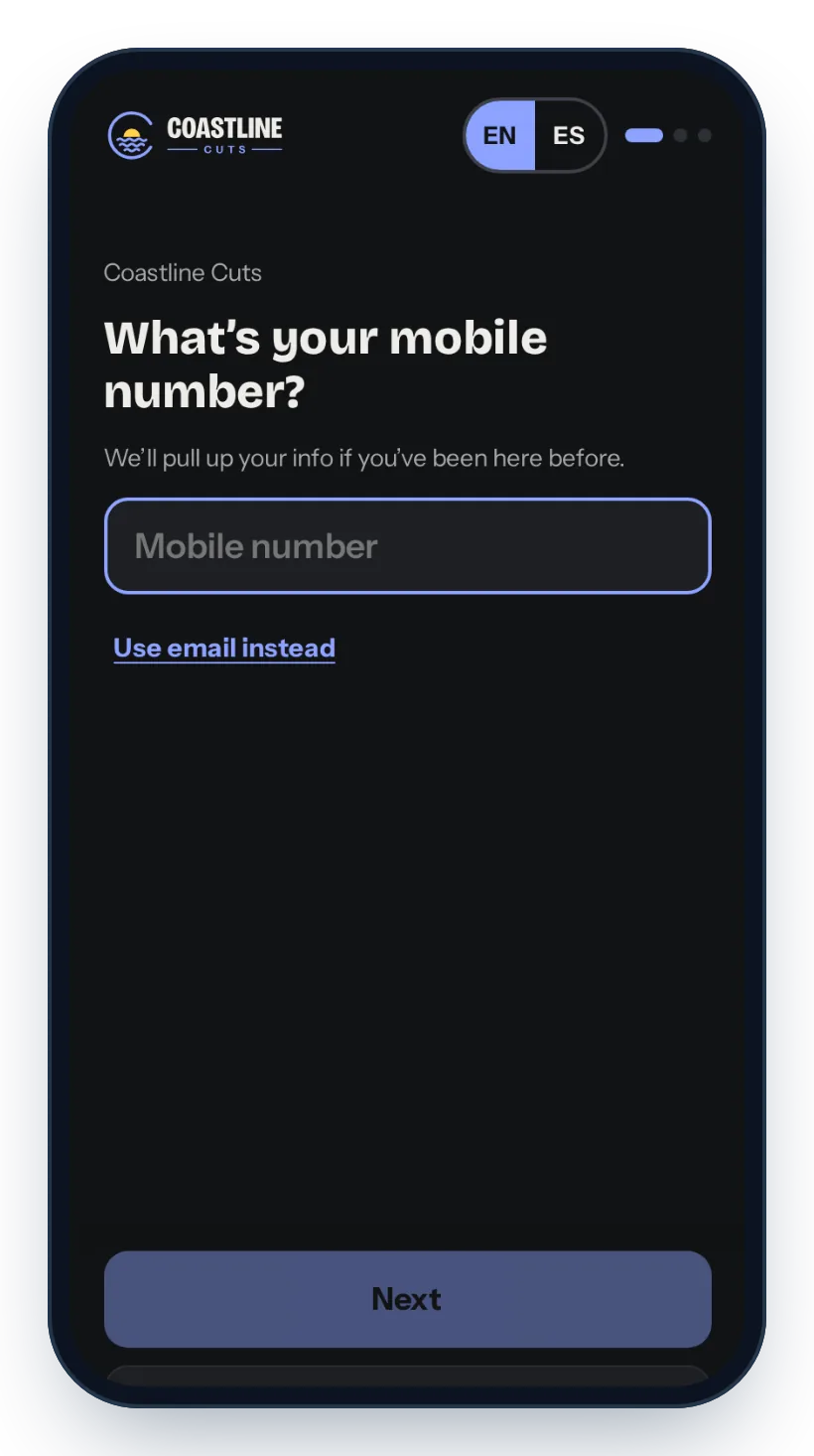
Walk-ins scan a QR code, enter their number and they are in line. They can see the wait and their spot, step out, or ask for 10 more minutes, so your lobby stays calm.
When it is almost their turn, they get a “you’re up” text. On Dive and Fly, clients can also join by texting JOIN (or FILA).
Included in: QR waitlist: Perch, Dive and Fly. Texts on Perch turn on after the one-time setup. Text-to-join: Dive and Fly.
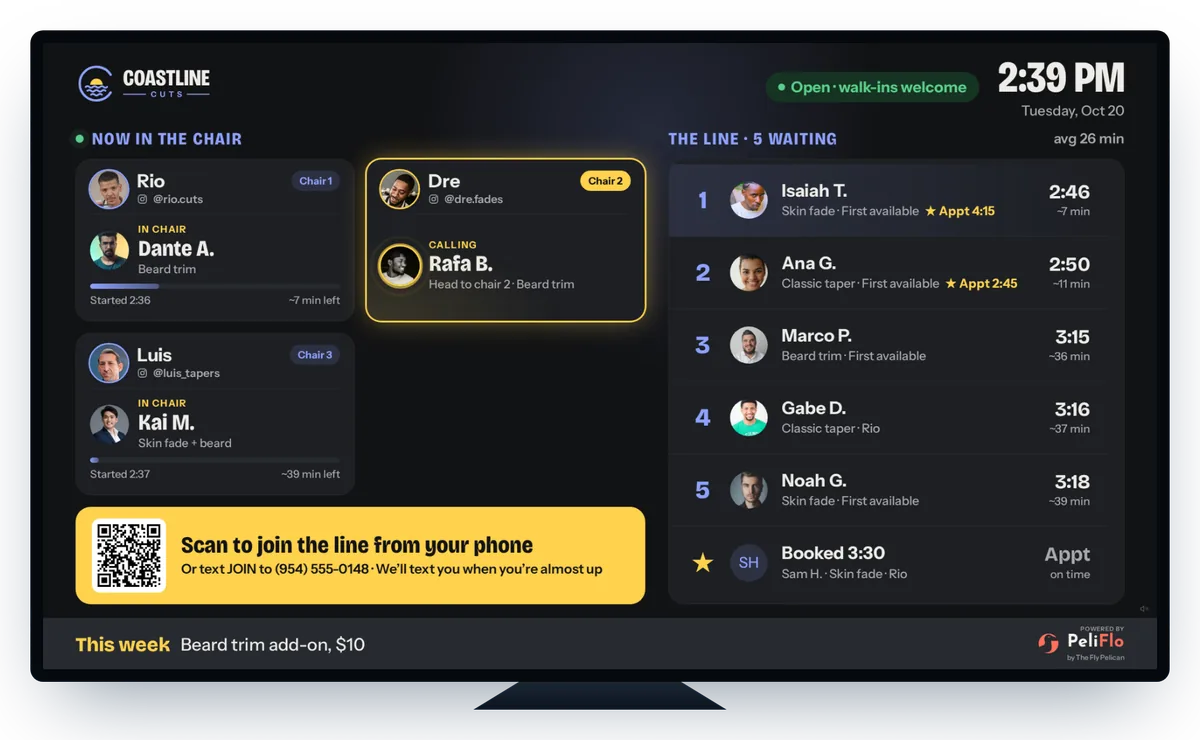
PeliFlo TV shows who is in the chair, who is being called and who is next, with a QR code so new walk-ins can join from their phone.
It is the lobby software, and it runs on a TV screen in your shop. Plug in a Fly Box, Powered by PeliFlo, and it is ready to go.
Included in: PeliFlo TV: Perch, Dive and Fly. Fly includes one Fly Box; on Perch and Dive it is a $249 one-time add-on, shipping included.
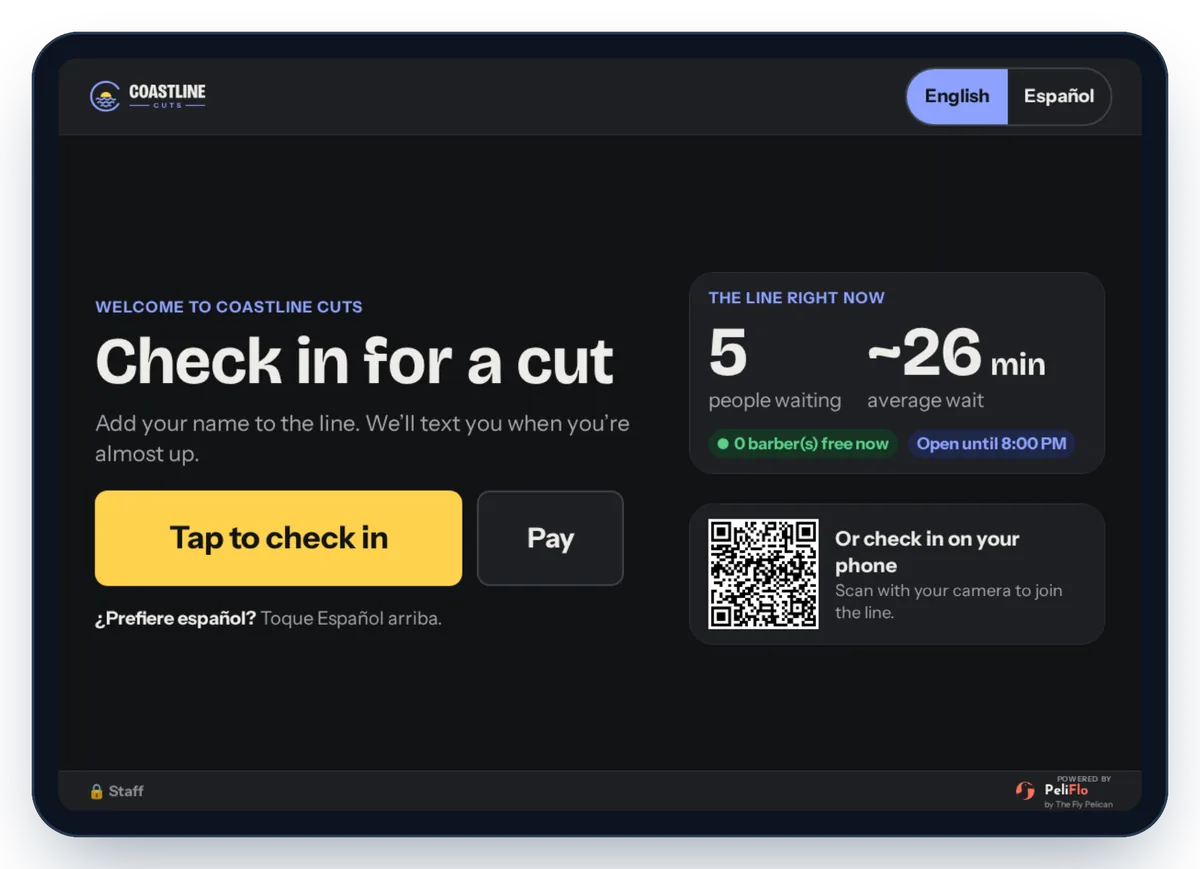
Set an iPad or Android tablet by the door. Clients tap to check in, pick a barber and add their name, and the line updates everywhere at once.
Prefer phones? Clients can also check in with a QR code. Profile pictures or avatars help barbers know who is next.
Included in: QR check-in, avatars and profile pictures: Perch, Dive and Fly. Check-in kiosk: Dive and Fly.
Every booking gets a confirmation and reminders by email and text, with a link to reschedule. Fewer forgotten appointments, fewer calls.
On Dive and Fly, PeliFlo also nudges clients to rebook, wins back regulars who have not been in for a while, texts back missed calls and gives you a two-way inbox. Fly adds text blasts.
Included in: Email reminders: Perch, Dive and Fly. Text reminders: Perch after the one-time setup, Dive and Fly. Texts per location each month: Perch 300, Dive 1,000, Fly 2,000.
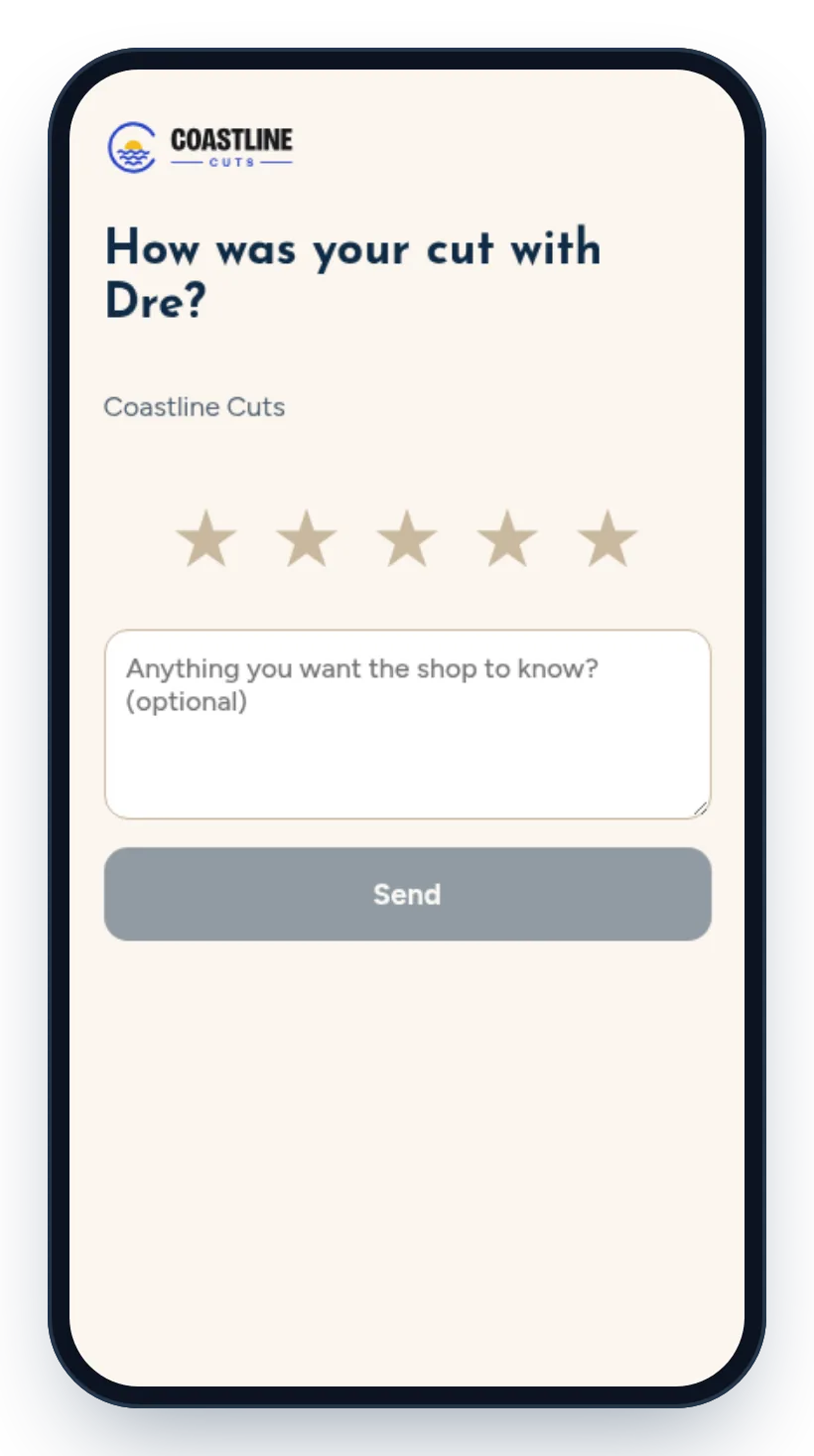
After a visit, PeliFlo asks the client how their cut went, with a simple star rating and room for a comment.
Your owner dashboard also includes a Google Business Profile checklist, so the basics of your profile are covered.
Included in: Perch, Dive and Fly.
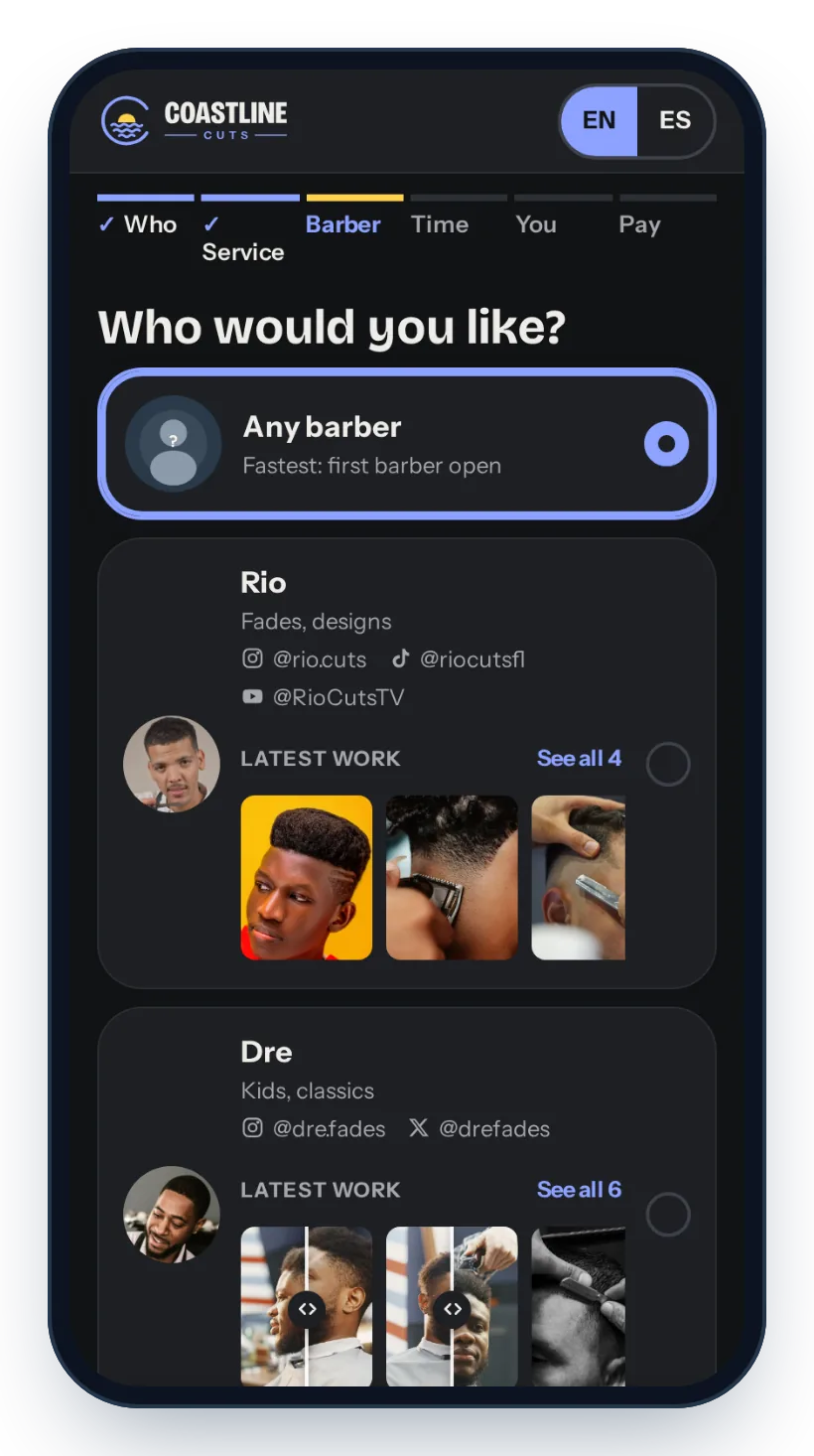
Each barber gets a card on your booking page with their specialty, their social handles and their latest work, so clients can pick the right person for the cut they want.
On Dive and Fly, barbers get full portfolios on your booking page and site, which they can share to socials, plus their own staff logins.
Included in: Barber cards: Perch, Dive and Fly. Portfolios and staff logins: Dive and Fly.
A digital punch card fills up visit by visit, right on the client’s phone. When it is full, they see the reward is ready and tell their barber.
No paper cards to lose. On Dive and Fly you also get every loyalty type and gift cards.
Included in: Punch card: Perch, Dive and Fly. All loyalty types and gift cards: Dive and Fly.
Billed monthly. Prepay for a year to get one month free.
Selected plan
Dive
$39/moRegular price: $468 $429/yr
+ $29 setup
$99/moRegular price: $1,188 $1,089/yr
+ $59 setup

$199/moRegular price: $2,388 $2,189/yr
+ $99 setup

$499/moRegular price: $5,988 $5,489/yr
+ $299 setup
Need more text blasts? Text packs are one-time purchases and leftover texts carry over. Prices in USD. Card payments are processed by Stripe.
Powered by PeliFlo
The Fly Box runs PeliFlo TV on your lobby screen, so clients can watch the line move.

$229 now (save $20).
Your card on file; we charge $249 when it ships.
Pre-orders open soon.
Prefer to talk? Call (754) 600-1059


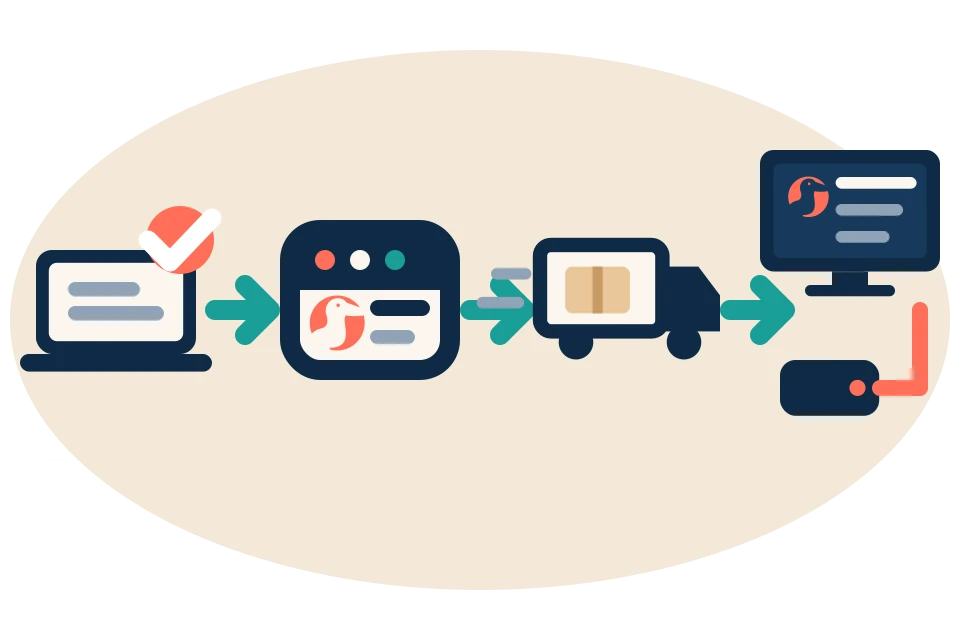
Already on Squire or Booksy? PeliFlo can run alongside them while you add the line and the TV.
Get started